AI school workflows · Independent product
Classflow
Context
Classflow is an AI-first school platform I’m building to connect everyday planning, communication and parent responses. The idea grew out of my experience as a parent representative and school conference member.
Problem
A school trip is not just a date in a calendar. Someone needs to inform the right families, ask for permission, collect responses and follow up. I saw how much coordination sits between those tasks — even when the initial request is simple.
Constraints
Teachers, parents and students have different responsibilities. Automation needs to respect those boundaries and make the difference between a proposed action and a completed action clear. A natural-language interface should reduce admin, not make people guess what happened.
01 / WORKFLOW MODEL
From a request to connected actions.
- 01DescribeA teacher starts with a request.
- 02ReviewProposed actions stay visible.
- 03CoordinateThe event and family communication connect.
- 04Follow throughResponses stay with the event.
Workflow model · Product demonstration.
My Role
I own the product direction, information architecture, UX/UI and AI-assisted implementation. I work across the calendar, event structure, assistant and family-facing mobile flows — taking ideas beyond static designs into working software that I can test and refine.
Key Decisions
Keep the assistant beside the work
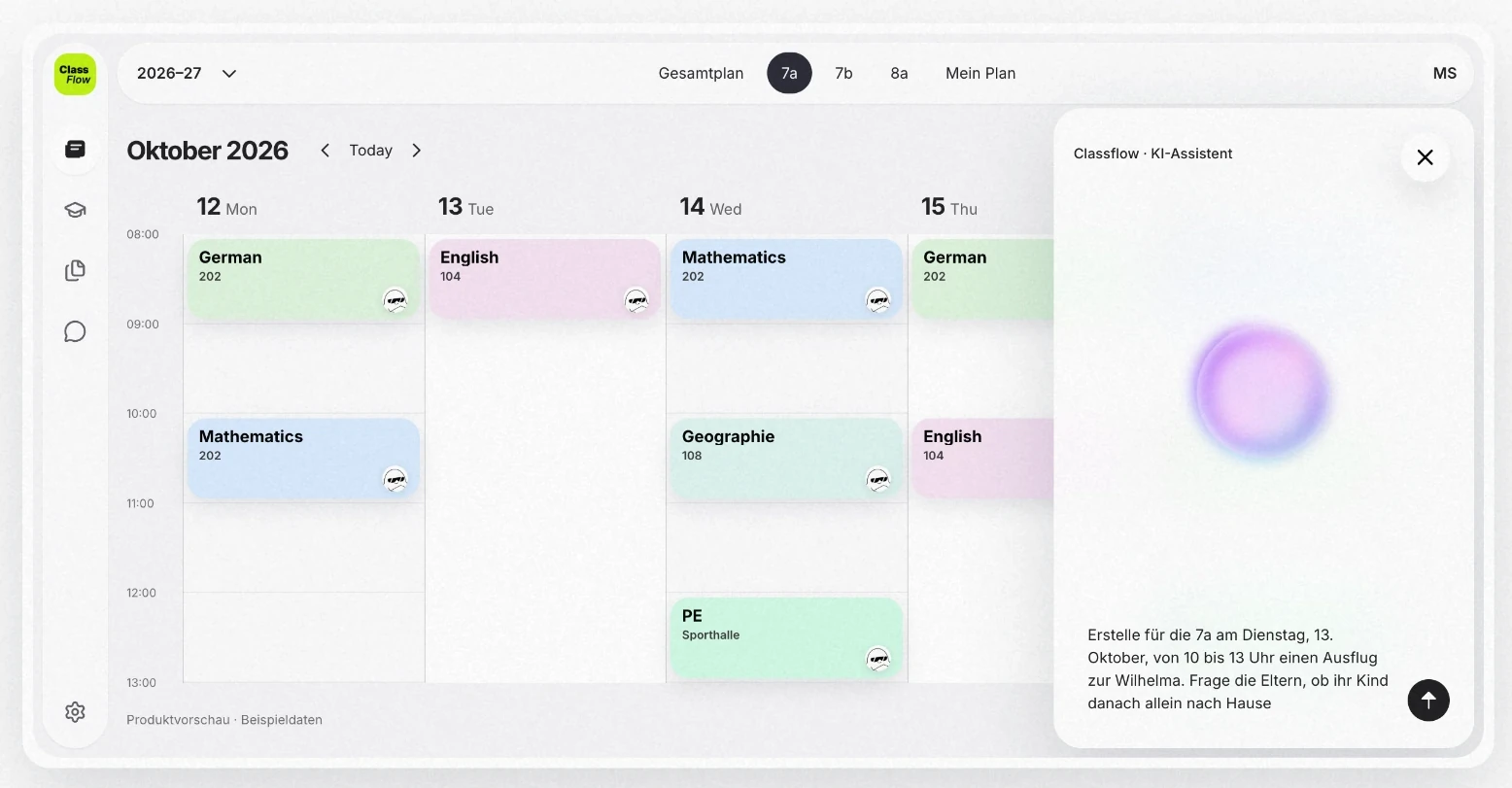
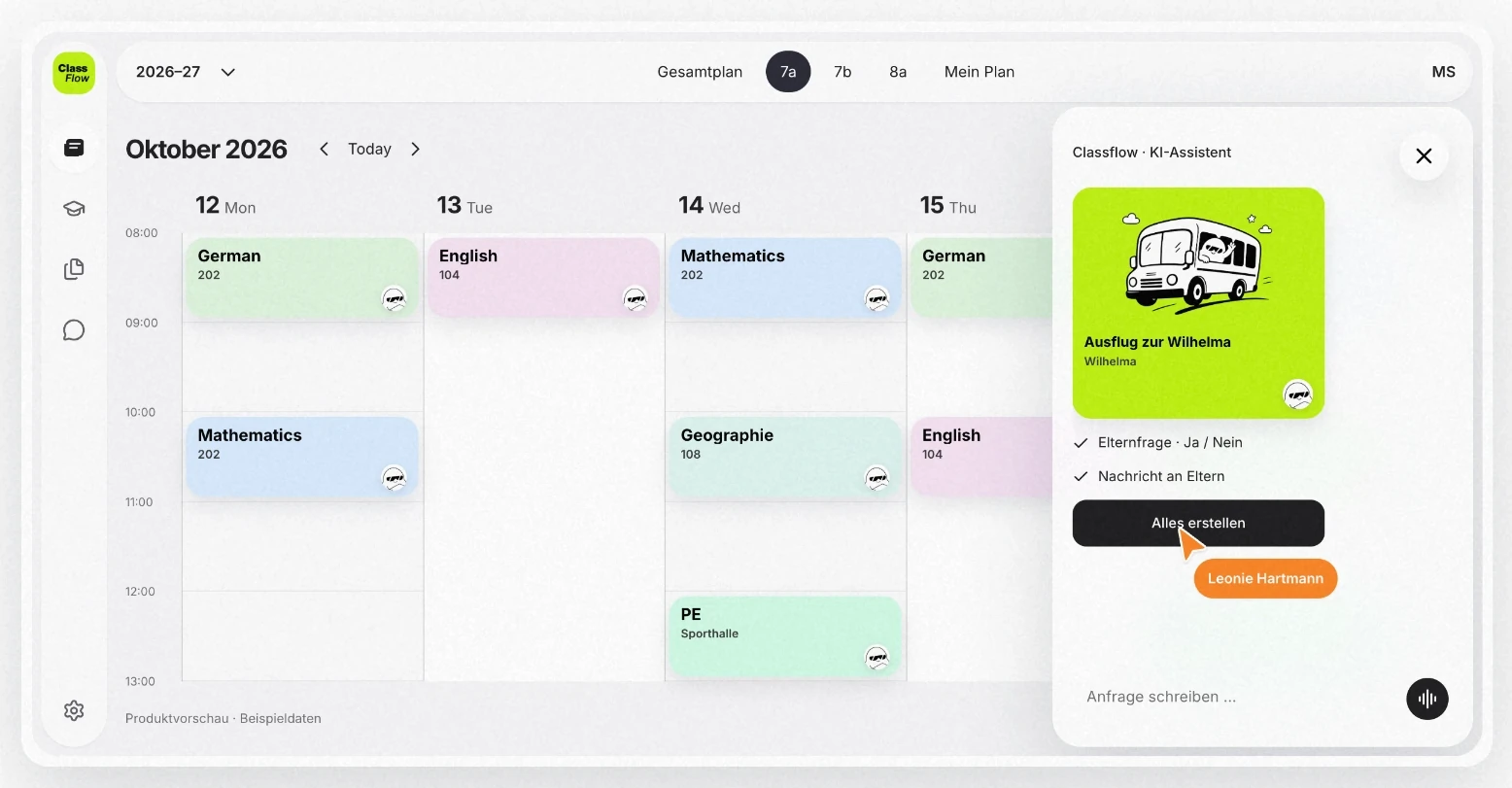
The calendar remains the main workspace. The assistant sits next to it, so a teacher can describe a task without losing the timetable or context.
Make the event the shared place to work
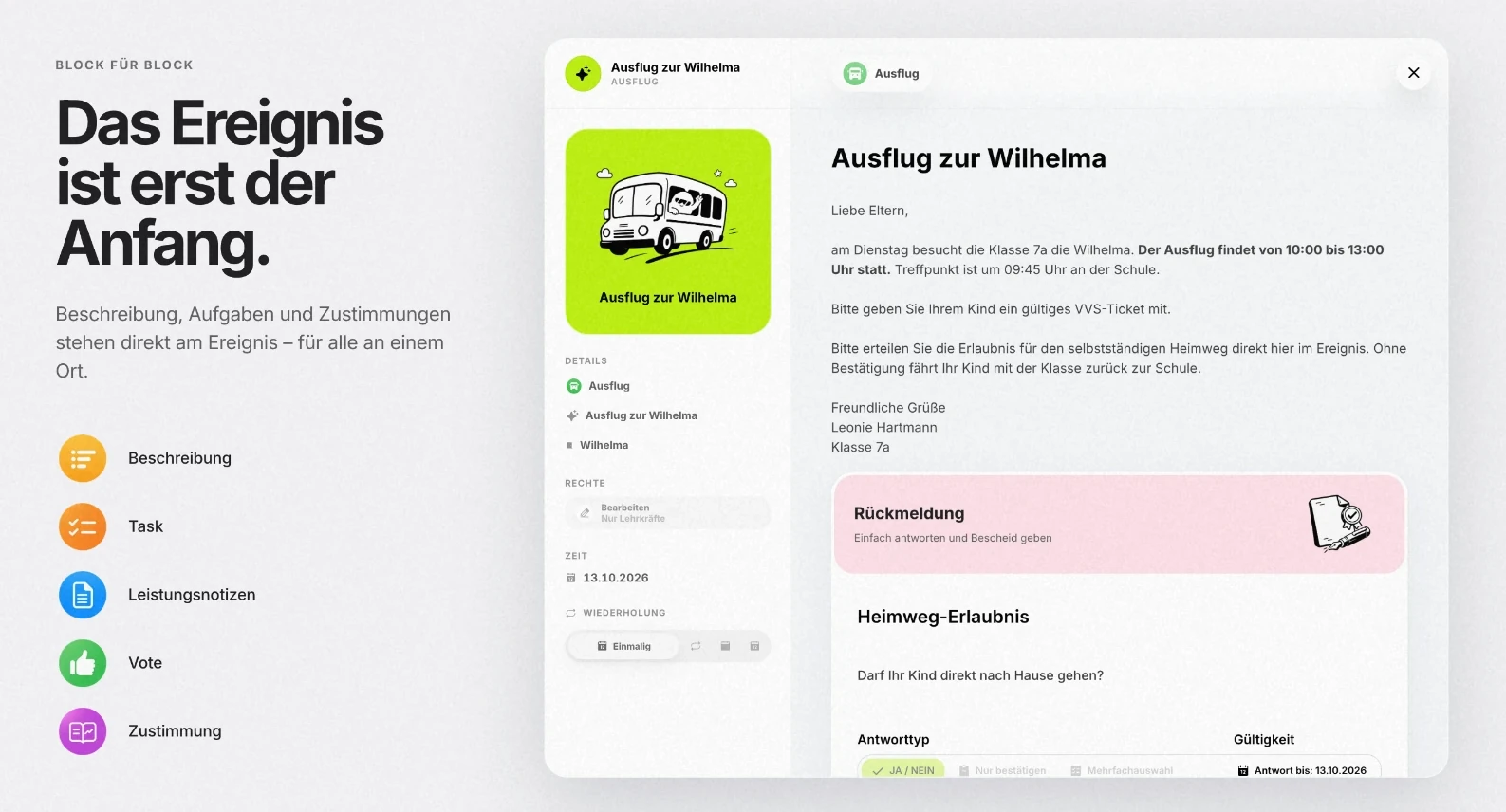
Trip details, parent requests and responses belong to the same event. The design connects these objects instead of sending people between unrelated tools.
Make proposed actions visible
I designed a review step around the event and related actions. The key question is whether people understand what the assistant is about to create or send, before they approve it.
Design beyond the teacher’s screen
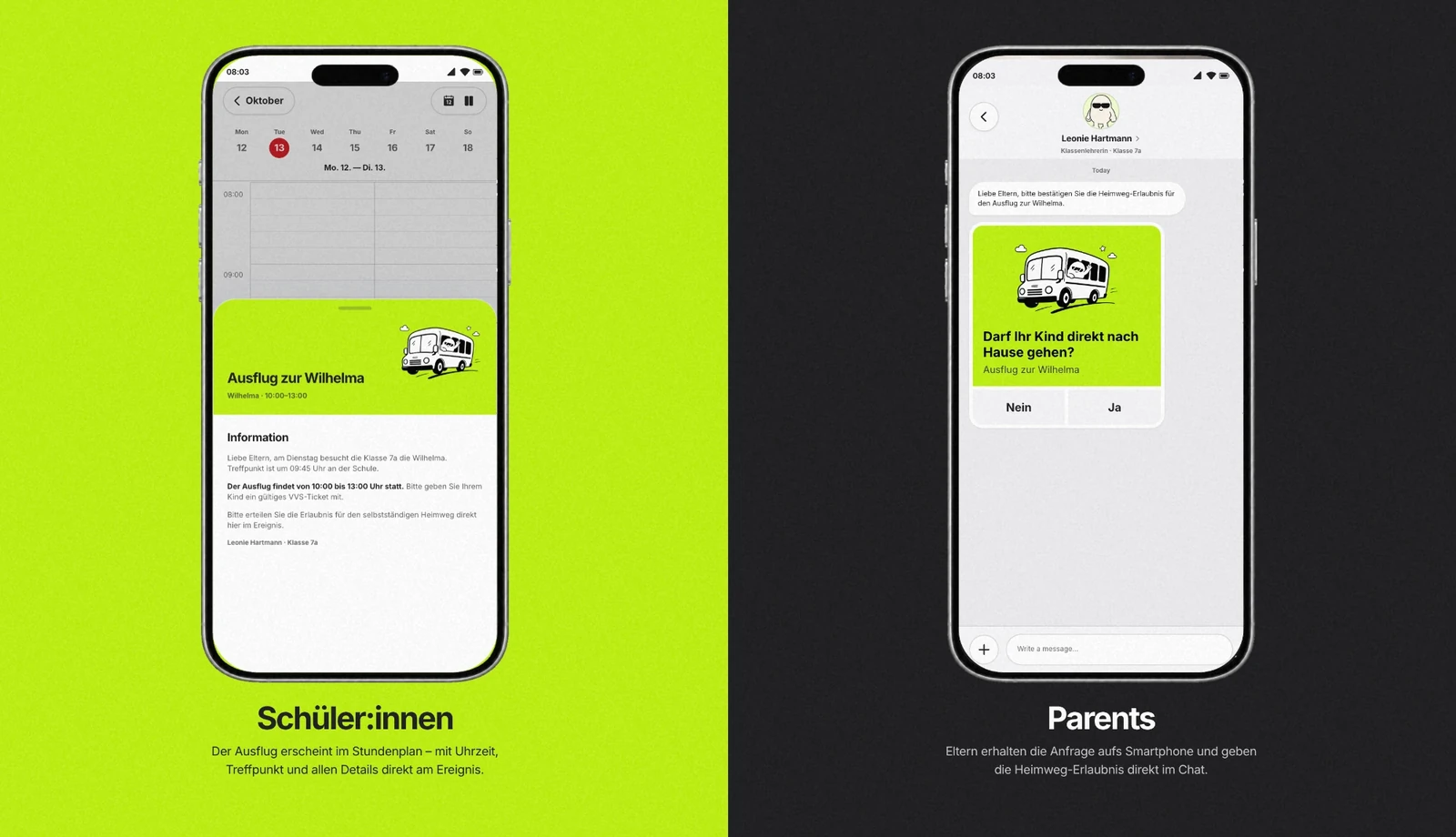
The journey continues on mobile: students need the details, parents need a clear request, and the school needs to see the response in context.
02 / ROLE MODEL
Shared context. Different responsibilities.
Details, requests and responses.
Plans the event and reviews the assistant’s proposal.
Sees the trip details in the mobile experience.
Receives a focused request and sends a response.
Roles share the event context, not the same responsibilities or access.
Solution
A school platform organised around a shared calendar and structured events, with an assistant designed to connect planning, messages, reminders and consent. Text or voice can be a starting point; the familiar interface remains available for reviewing and editing the work.
Current Stage
Working product · Active development
The work shown here is a product demonstration, not a live school deployment. Adoption and time savings have not yet been measured. My next step is to validate the workflows with school teams, including whether they can confidently review the assistant’s actions.
03 / CURRENT STAGE
Built. Now ready to learn.
Idea to working product
- STARTSchool coordination problem
- CURRENT · PRE-PILOTWorking product
- NEXTValidate with school teams
Adoption and time savings have not yet been measured.
THE SCHOOL-TRIP SCENARIO
A small request. A lot less switching.
“We’re taking class 7a to Wilhelma. Ask parents whether their children can go home on their own afterwards.”
- 01
Understand
Connect the request to the class and the trip.
- 02
Review
Show the proposed event and parent request.
- 03
Coordinate
Keep the calendar and family communication together.
- 04
Follow through
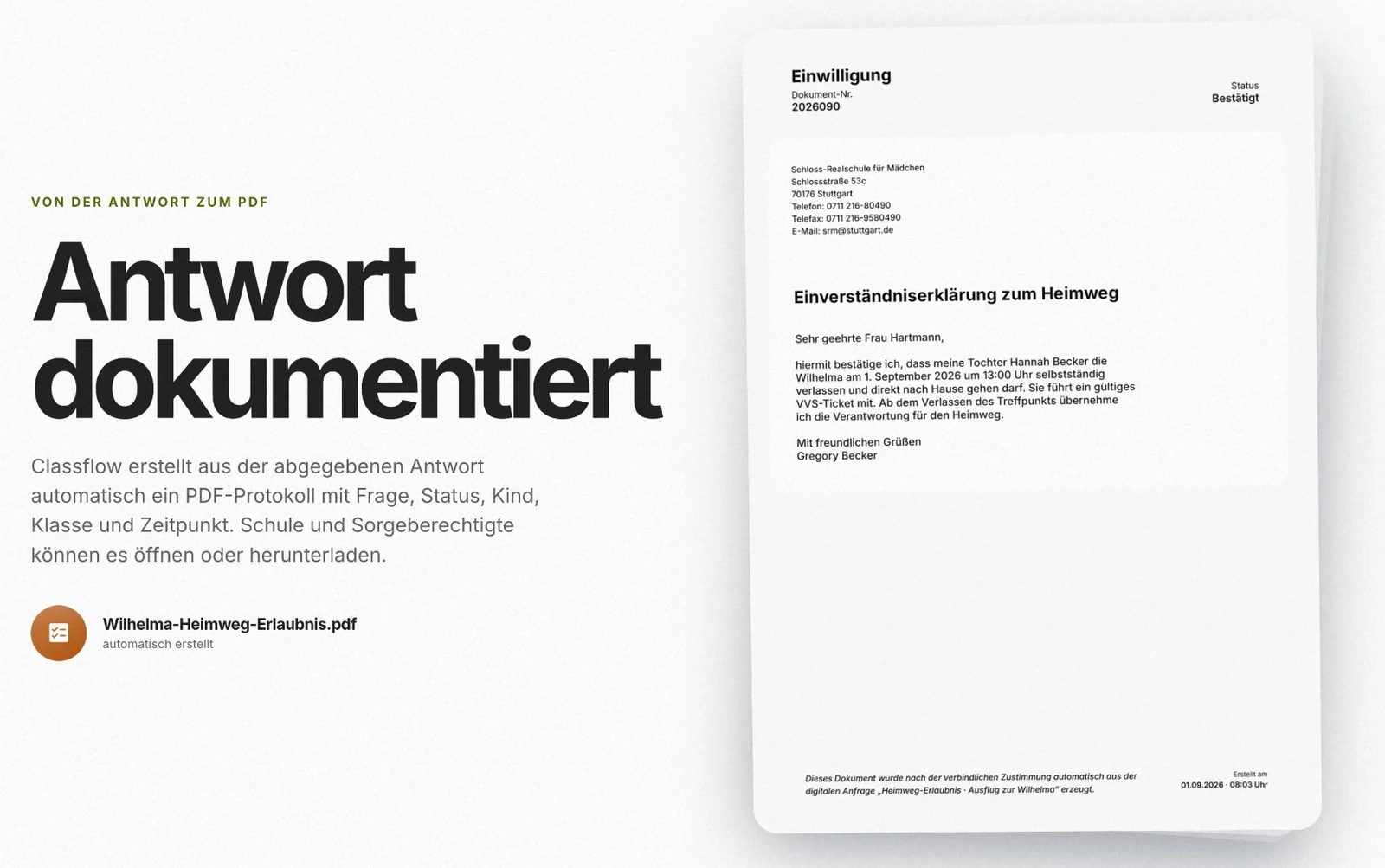
Bring the response and its record back to the event.
The designed workflow below is illustrated with product-demo screens.
Toolset
- Figma
- Codex
- Supabase
- AI-assisted development